Macroview 9.10 Adobe Plugin not valid

Hi,
Our company uses Adobe Acrobat Reader 32bit, currently on the latest version.
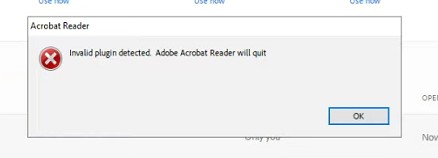
We have just updated Macroview DMS 9.10 in a test environment before full deployment, everything works apart from Adobe Reader, it basically crashes on launch, sometimes it will pop up with 'Invalid plugin detected. Adobe Acrobat Reader will quit'
If I remove the Macroview folder from the plugin folder, all is good. But obviously lose the Macroview SharePoint functionality. We have protected mode disabled in Adobe, even tried enabling it to see if it makes a difference.
Any ideas?

-

Hi Kevin,
There have been a few issues with Adobe Reader 32bit. We recommend upgrading to 64bit edition as it is a more stable product. Adobe are moving away from the 32bit version.
Kindest regards
Dimitri
0 -
Hi Dimitri,
Thanks for that.
We have just updated to Adobe Acrobat (64-bit) 2025.001.20844
Users can load Acrobat, as soon as they try to do anything they get a popup stating A 3rd party plugin might be causing problems.

We have tried turning on and off the protected mode at started and disabled Enhanced Security. But it still pops up and the plugin is not functional. If its in Adobe Reader mode without users signing in with a pro license it works fine.
If we remove the Macroview plugin from the plugin folder, Acrobat works fine. Obviously no Macroview plugin is shown.
I've tried everything to make this plugin work.
Thanks
Kevin
0
Please sign in to leave a comment.
Comments
2 comments